Aliens VS Zombies
Please log in first,
Event UFO Puzzles Choose Chest50
Exclusive
Monthly Limit: 1/1

Credits9,999

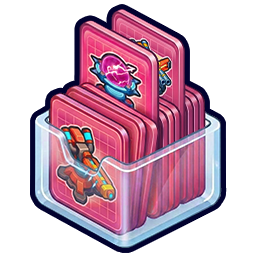
Event Tower Cards Choose Chest20
Exclusive
Monthly Limit: 1/1

Credits1,999

Exclusive
Lifetime Limit: 1/1

Credits999Credits999

5% BONUS

Credits99,990Credits5,000

5% BONUS

Credits69,999Credits3,500

5% BONUS

Credits49,999Credits2,500

5% BONUS

Credits29,999Credits1,500

5% BONUS

Credits18,495Credits925

5% BONUS

Credits9,999Credits500

5% BONUS

Credits4,999Credits250

5% BONUS

Credits1,999Credits100

5% BONUS

Credits999Credits50

5% BONUS
Lifetime Limit: 1/1

Credits499Credits25

5% BONUS
Lifetime Limit: 1/1

Credits299Credits15

CrystalsBONUS

Credits99,990Crystals8,000

CrystalsBONUS

Credits9,999Crystals800

CrystalsBONUS

Credits999Crystals80

How Does This Work?

  • · These Credits are cash equivalents that can be used to purchase any packs and deals in the game.
  • · Enter your User ID to link your account, select the desired items, pay with your preferred payment method. Claim your purchased items through in-game mail, there could be a delay. If you do not receive your purchased item, please restart the game or contact customer support.
  • · Purchase of Credits in this interface won't count towards in-game Top-up events. Purchases of packs made in-game count towards in-game events following their respective rules.
  • · If your bank card uses a foreign currency, additional currency exchange handling fee will be charged by your bank, and not this website.
  • · If any service or processing fees related to cross-border settlement are incurred during a transaction, such fees are charged by the bank, not by this website. If you have any questions regarding the incurrence of such fees, we suggest that you contact your issuing bank directly for detailed information.
  • · If you have any questions regarding purchasing virtual currencies on the official website, please contact our customer support [support@gamegears.online].


Select Character

Reward Details

Order Confirmation

PayPal

Mission Rewards

  • Buy any pack in the Official Store

    100
  • Buy any 3 packs this week

    100
  • Buy the 9,999 Credits pack

    800
  • Visit the Official Store 3 days in a row

    20

You may check mission progress after logging in

Save to Home screen

Step 1: Tap the button in the menu

Step 2: Tap "Save to Home screen"

Browser interfaces may vary, please refer to actual content for accuracy.

How to use it?

Step 1, in-game screenshot 392×290: the Credits balance in the top-up center

Check your Credits in the top-up center in the game.

Step 2, in-game screenshot 392×290: a pack priced in Credits
Step 3, in-game screenshot 392×290: confirming the purchase for Credits

Cookie Preference

Reminder

Are you sure you want to log out of your account?

Cookie Notice

We use technologies such as cookie to maintain the core functionalities of the website. Please agree to the use of such technologies to experience website feature in full. For more info, please check Cookies Policy.